
docshub documentation
Choose a version
Version Current
DocsHub architecture: Wombat #
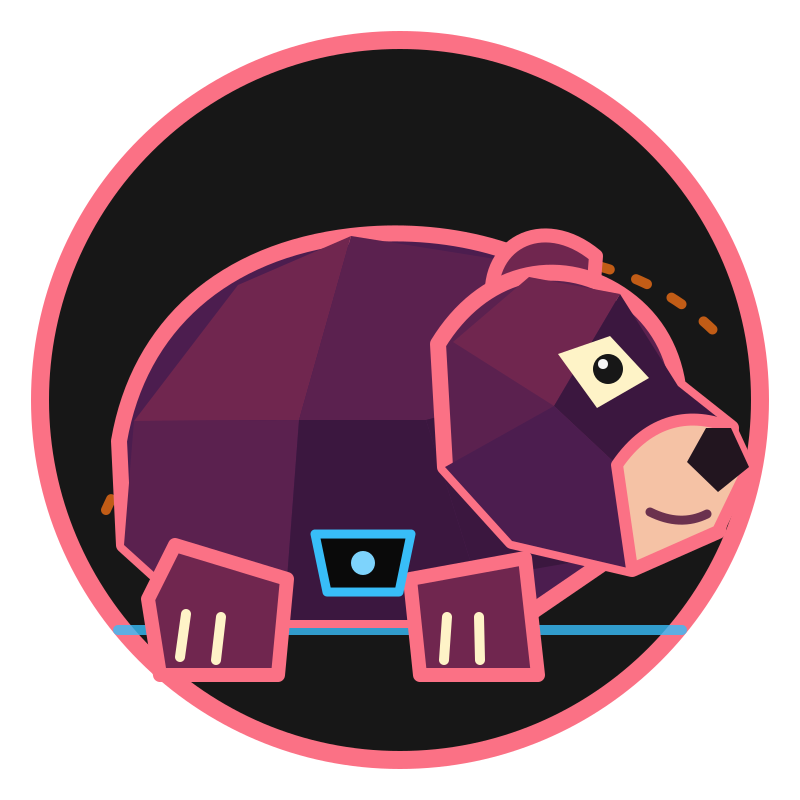
Wombat is the current architectural generation of DocsHub. It is a statically generated documentation site for the ZFordDev ecosystem, built with Eleventy, Markdown, Nunjucks, Tailwind CSS, and browser-side JavaScript.
DocsHub has a permanent product identity documented in the logo and identity guide. Wombat names this architectural generation; it is not the DocsHub product logo.
This page distinguishes the current implementation from active cleanup work and future plans. A planned capability is not available unless it appears under Implemented now.
Status at a glance #
| State | Scope |
|---|---|
| Implemented now | Static site generation, shared presentation, system-aware light and dark themes, extended Markdown, document-level versioning, version-aware search and navigation, removable filters, keyboard result navigation, metadata-generated discovery, related-document suggestions, local search, publication manifests, automated validation, and static deployment |
| In progress | Final review and approval of the Wombat generation mascot |
| Planned | No additional Wombat implementation milestone is currently scheduled |
| Separate future generation | A managed or authenticated hosted DocsHub service belongs to Capybara, not the current Wombat implementation |
Implemented now #
Static documentation build #
Eleventy reads content from src/ and writes a static site to _site/. Markdown
and Nunjucks pages use shared layouts and reusable header, sidebar, banner,
footer, search, and homepage components. Tailwind CSS supplies the site styles
and typography rules.
DocsHub supports System, Light, and Dark presentation modes. System follows the browser’s operating-system preference, while an explicit choice is stored in the browser for future visits. The selected theme is applied before the main stylesheet loads to avoid a visible colour-mode flash.
The responsive shell provides an accessible mobile navigation drawer, compact header actions, viewport-safe search and version controls, and horizontal handling for wide tables and code examples.
Long documents use a constrained reading measure, stronger section spacing, visible heading permalinks, and viewport-safe tables with sticky headers and row highlighting. Wide technical elements continue to use the full content column rather than inheriting the prose measure.
The production build is:
npm run build
This compiles the stylesheet and generates the site. DocsHub has no application server, database, account system, or server-side authoring interface in this repository.
Markdown rendering #
DocsHub uses one configured Markdown-it renderer. The current extensions include:
- syntax highlighting;
- footnotes and task lists;
- heading anchors;
- marks, subscript, and superscript;
- external-link attributes; and
note,warning,tip, andinfocallout containers.
Raw HTML is enabled because several pages and shared components include custom markup.
Document metadata #
Every Markdown page declares a permanent document_id, a positive integer
document_revision, an applies_to product and version range, and a
last_reviewed date. These versioning fields remain separate from the Git
commit that produced the site: product compatibility describes the relevant
application releases, document revision records editorial changes, and Git
provides build provenance.
Pages also declare fields such as project, module, category, title,
description, tags, weight, and context_priority. The build uses this
metadata for validation, page presentation, search records, version discovery,
and publication records.
The Markdown structure check validates:
- required metadata and accepted page states;
- unique, lowercase document IDs;
- positive document revisions;
- valid review dates;
- product compatibility values and semantic-version ranges; and
- existing structural rules for headings, fenced blocks, and callouts.
Metadata generates browsable project, category, and tag pages under
/discover/. The homepage hub list remains manually curated, while sidebar
related-document suggestions are generated separately from document metadata.
Metadata discovery #
The discovery index and its project, category, and tag pages are generated from published document metadata during every build. Case-only metadata variants are merged into one facet. Empty values are ignored, while conflicting values that would create the same URL fail the build instead of silently overwriting a page.
Each facet prioritizes current documentation, then separates planned material from legacy and archived records. A generated manifest and build check confirm that every facet is non-empty, has a unique canonical route, and produced an HTML page. The standard internal-link check validates links to and from those pages.
Document versions and compatibility #
The shared layout displays each document’s product compatibility, document revision, and last-reviewed date. A floating version selector in the bottom right derives the available release lines from the built document collection. It highlights the active version and links to the preferred overview page for each current, legacy, or archived version represented in the content.
Current documentation continues to use one canonical page while its guidance applies to a complete release line. Historical pages are preserved separately only when instructions diverge or an existing documentation set is explicitly archived. The selector does not manufacture a historical copy for every product release.
The selector uses native disclosure behavior and remains usable without browser-side JavaScript. JavaScript adds click-outside and Escape-key closing.
The current-release registry gives search and discovery a source of truth for which product release lines are current. Exact current-line results rank before planned, legacy, and archived matches. Product and version controls filter both search results and discovery pages, while local per-product selection persists between relevant pages.
Navigation from a current document to a route registered as legacy or archived shows a confirmation warning with the target product and compatibility value. The release coverage check fails when a registered current line has no reviewed documentation or an explicitly current document is absent from the registry.
Related documents #
Eligible document pages receive up to five deterministic sidebar suggestions. The scoring model favors the same product and compatible release line, followed by project, module, category, and shared tags. Stable weight, title, and URL tie-breakers keep identical builds in the same order.
Current pages exclude legacy and archived suggestions. Preserved pages can recommend material from their own product and version, with non-current links clearly labeled, while current same-product guidance remains available as a route forward. A generated manifest verifies the cap, ordering, active-page exclusion, fallback coverage, and rendered sidebar links.
Local documentation search #
The build creates /search-index.json from Markdown pages. Each record contains
the page title, description, URL, project, module, category, tags, weight,
context priority, document ID, document revision, compatibility metadata,
last-reviewed date, and text extracted from the source document.
The browser downloads this index and performs search locally. Current matching supports:
- exact token matches;
- prefix matches;
- limited typo tolerance using Levenshtein distance;
- weighted title, tag, metadata, description, and body-content fields;
- small document-weight and URL-context boosts; and
- up to eight results per query.
Recent searches and selected filters are stored in browser local storage. Project and module context from the active document initializes visible filter chips, and product, version, category, and release-status controls can further narrow results. Each chip is independently removable and a single action clears the entire filter set.
The result popup follows the combobox/listbox pattern while focus remains in the query field. Arrow keys move the selected option, Enter opens it, and Escape closes the popup before clearing an inactive query. Selected state and result counts are announced through accessible state and a polite live region. The sidebar controls retain their compact wrapping layout on mobile widths.
Build provenance #
The build creates /build-manifest.json alongside the search index. Each
published Markdown page is recorded with its document ID, document revision,
output URL, source path, source Git commit, and a SHA-256 hash of its normalized
source. Builds without available Git metadata use unknown for the source
commit while retaining the content hash.
The manifest makes a publication traceable without presenting the Git commit as a user-facing document revision. It is the foundation for detecting source changes and preserving durable publication records in later workflows.
Deployment #
Pushing to main starts the GitHub Actions deployment workflow. It:
- installs the locked npm dependencies;
- runs the production build; and
- replaces the generated contents of the
hostbranch.
The repository documentation states that Cloudflare serves that configured branch. Deployment is therefore automated static publishing, not a general hosting product or user-configurable publishing service.
Wombat visual identity #
The Wombat mascot SVG is an original, geometric release illustration. Its long barrel body, rounded rump, small ear, blunt forward muzzle, and short planted legs form a strong side-profile wombat silhouette. Coral and aubergine facets create the release-mascot treatment, and a small cyan connector badge relates it to DocsHub’s product palette.
Use the mascot on Wombat release pages, roadmap cards, announcements, and generation badges. It scales from the 40 px banner placement through cards and large hero artwork. Preserve its square aspect ratio and allow clear space of at least one twelfth of its displayed width. Do not recolor, crop, mirror, or use it as the DocsHub favicon or permanent product logo.
When nearby text already identifies Wombat, use an empty image alternative. When the mascot stands alone, describe it as “A stocky geometric wombat in side profile inside a circular release badge.” The SVG itself includes an accessible title and description.
The artwork was created for this repository, has no third-party assets or attribution requirements, and is distributed under the repository’s MIT licence. Wombat identifies this architectural generation; the permanent DocsHub product identity remains separate.
Remaining Wombat completion item #
The implementation and documentation milestones assigned to Wombat are complete. The generation remains in final review until its mascot concept is approved. Routine content maintenance and future bug fixes continue without becoming new release-generation milestones.
Outside the current Wombat implementation #
The following ideas require a separate application or service layer and do not exist in this repository:
- user accounts and authentication;
- browser-based document editing;
- drafts, reviews, and publishing permissions;
- collaborative authoring;
- hosted customer documentation portals;
- a managed DocsHub service;
- billing or subscriptions; and
- direct SnapDock-to-DocsHub publishing.
These ideas belong to the longer-term Capybara direction. They should not be described as current Wombat capabilities.
Current architectural flow #
Markdown / Nunjucks / front matter
                 │
                 ▼
        Eleventy + Markdown-it
                 │
          ┌──────┼──────────────────┐
          ▼      ▼                  ▼
    Static HTML  search-index.json  build-manifest.json
          │      │
          └──┬───┘
             ▼
   Browser UI, version selector,
          and local search
                 │
                 ▼
      GitHub Actions → host branch
Wombat’s role #
Wombat is the working static foundation of DocsHub. Its purpose is to make the existing documentation accurate, searchable, consistently rendered, and easy to publish through the project’s controlled deployment pipeline. It is also preparing the content structure, validation, discovery, and publishing pipelines required by Capybara’s planned public-submission workflow. Future platform features can build on that foundation, but they are not part of the current product until their implementation and user guidance exist in this repository.